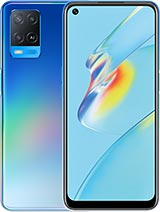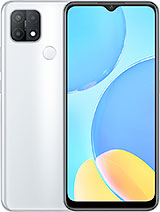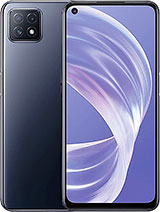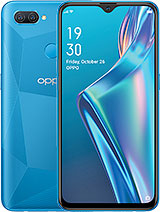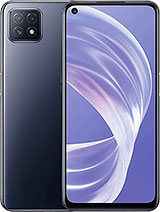
Find and download official MIUI firmware for A73 5G (A73 5G). All firmware files include MD5 hash verification and are available for direct download.
No firmware files available for this device yet.
| Network | Technology | GSM / HSPA / LTE / 5G |
|---|---|---|
| 2G bands | GSM 850 / 900 / 1800 / 1900 - SIM 1 & SIM 2 | |
| 3G bands | HSDPA 800 / 850 / 900 / 1700(AWS) / 1900 / 2100 | |
| 4G bands | 1, 2, 3, 4, 5, 7, 8, 12, 17, 18, 19, 20, 26, 28, 38, 39, 40, 41, 66 | |
| 5G bands | 1, 3, 5, 7, 8, 20, 28, 38, 40, 41, 77, 78 SA/NSA | |
| Speed | HSPA, LTE, 5G |
| Launch | Announced | 2020, November 4 |
|---|---|---|
| Status | Available. Released 2020, November 4 |
| Body | Dimensions | 162.2 x 75 x 7.9 mm (6.39 x 2.95 x 0.31 in) |
|---|---|---|
| Weight | 177 g (6.24 oz) | |
| SIM | Dual SIM (Nano-SIM, dual stand-by) |
| Display | Type | IPS LCD, 90Hz, 480 nits (typ) |
|---|---|---|
| Size | 6.5 inches, 102.0 cm2 (~83.9% screen-to-body ratio) | |
| Resolution | 1080 x 2400 pixels, 20:9 ratio (~405 ppi density) |
| Platform | OS | Android 10, upgradable to Android 12, ColorOS 12 |
|---|---|---|
| Chipset | Mediatek Dimensity 720 (7 nm) | |
| CPU | Octa-core (2x2.0 GHz Cortex-A76 & 6x2.0 GHz Cortex-A55) | |
| GPU | Mali-G57 MC3 |
| Memory | Card slot | microSDXC (dedicated slot) |
|---|---|---|
| Internal | 128GB 8GB RAM | |
| UFS 2.1 |
| Main Camera | Triple | 16 MP, f/2.2, 26mm (wide), 1/3.06", PDAF 8 MP, f/2.2, 119˚ (ultrawide), 1/4.0", 1.12µm 2 MP, f/2.4, (depth) |
|---|---|---|
| Features | LED flash, HDR, panorama | |
| Video | 1080p@30fps, gyro-EIS |
| Selfie camera | Single | 8 MP, f/2.0, 26mm (wide) |
|---|---|---|
| Features | HDR | |
| Video | 1080p@30fps |
| Sound | Loudspeaker | Yes |
|---|---|---|
| 3.5mm jack | Yes |
| Comms | WLAN | Wi-Fi 802.11 a/b/g/n/ac, dual-band, Wi-Fi Direct |
|---|---|---|
| Bluetooth | 5.1, A2DP, aptX HD, LE | |
| Positioning | GPS, GLONASS, GALILEO, BDS | |
| Radio | Unspecified | |
| USB | USB Type-C 2.0, OTG |
| Features | Sensors | Fingerprint (side-mounted), accelerometer, proximity |
|---|
| Battery | Type | Li-Po 4040 mAh, non-removable |
|---|---|---|
| Charging | 18W wired |
| Misc | Colors | Navy Black, Neon |
|---|---|---|
| Models | CPH2161 | |
| Price | About 240 EUR |
⚠️ Warning: Flashing custom ROMs may void your warranty. Proceed at your own risk.
A: Yes, flashing official firmware is generally safe and won't void your warranty if done through official methods.
A: Recovery ROMs are flashed from recovery mode, while Fastboot ROMs require bootloader unlock and ADB tools.
A: Some devices allow downgrading, but it depends on the device and region. Check device-specific forums first.
A: If flashing fails, try using the official tool, ensure USB drivers are installed, and check device compatibility.