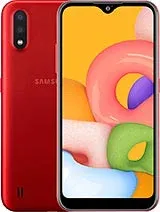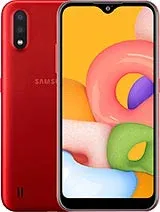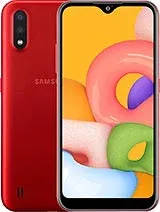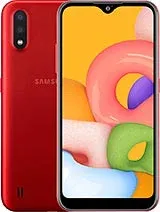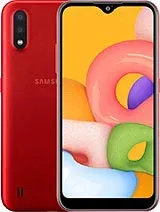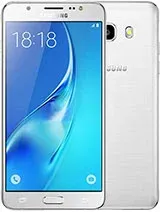
Samsung Galaxy J5 2016 (SM-J510H) is a samsung device (codename: sm-j510h). FirmwareMirror hosts 4 verified firmware builds, covering: AFG, EGY, SEK, MYM. Available as official firmware. Last updated: 2026. All files MD5-verified. Free, no registration.
Find and download official Stock ROM for Samsung Galaxy J5 2016 (SM-J510H) (sm-j510h). All firmware files include MD5 hash verification and are available for direct download.
| Version | Method | Size | Release Date | MD5 Hash | Download |
|---|---|---|---|---|---|
| J510HXXS3BTI3/J510HOXE3BSD1/J510HXXU3BSB2 | Odin | 216.99 MB | N/A |
N/A
|
Download |
| J510HXXS3BTK1/J510HOLB3BTK1/J510HXXS3BTK1 | Odin | 288.92 MB | N/A |
N/A
|
Download |
| J510HXXS2BTI4/J510HOJV2BTI3/J510HXXU2BQJ3 | Odin | 1.22 GB | N/A |
N/A
|
Download |
| J510HXXS2BTI2/J510HOJV2BTI1/J510HXXU2BRG1 | Odin | 641.51 MB | N/A |
N/A
|
Download |
Versions: J510FN (Europe); J510F (HK, India, South Africa, Thailand); J510G (Malaysia, Indonesia); J510Y (New Zealand); J510M (LATAM). Also known as Samsung Galaxy J5 Duos (2016) with dual-SIM card slots
| Network | Technology | GSM / HSPA / LTE |
|---|---|---|
| 2G bands | GSM 850 / 900 / 1800 / 1900 - SIM 1 & SIM 2 (dual-SIM model only) | |
| 3G bands | HSDPA 850 / 900 / 1900 / 2100 | |
| 4G bands | 1, 3, 5, 7, 8, 20 | |
| Speed | HSPA 21.1/5.76 Mbps, LTE Cat4 150/50 Mbps |
| Launch | Announced | 2016, March. Released 2016, April |
|---|---|---|
| Status | Discontinued |
| Body | Dimensions | 145.8 x 72.3 x 8.1 mm (5.74 x 2.85 x 0.32 in) |
|---|---|---|
| Weight | 159 g (5.61 oz) | |
| Build | Glass front, plastic back, aluminum frame | |
| SIM | Single SIM (Micro-SIM) or Dual SIM (Micro-SIM, dual stand-by) |
| Display | Type | Super AMOLED |
|---|---|---|
| Size | 5.2 inches, 74.5 cm2 (~70.7% screen-to-body ratio) | |
| Resolution | 720 x 1280 pixels, 16:9 ratio (~282 ppi density) |
| Platform | OS | Android 6.0.1 (Marshmallow), upgradable to 7.1.1 (Nougat) |
|---|---|---|
| Chipset | Qualcomm MSM8916 Snapdragon 410 (28 nm) | |
| CPU | Quad-core 1.2 GHz Cortex-A53 | |
| GPU | Adreno 306 |
| Memory | Card slot | microSDXC (dedicated slot) |
|---|---|---|
| Internal | 16GB 2GB RAM | |
| eMMC 4.5 |
| Main Camera | Single | 13 MP, f/1.9, 28mm (wide), AF |
|---|---|---|
| Features | LED flash | |
| Video | 1080p@30fps |
| Selfie camera | Single | 5 MP, f/1.9 |
|---|---|---|
| Features | LED flash | |
| Video |
| Sound | Loudspeaker | Yes |
|---|---|---|
| 3.5mm jack | Yes |
| Comms | WLAN | Wi-Fi 802.11 b/g/n, Wi-Fi Direct |
|---|---|---|
| Bluetooth | 4.1, A2DP | |
| Positioning | GPS, GLONASS | |
| NFC | Yes (market dependant) | |
| Radio | FM radio, RDS, recording | |
| USB | microUSB 2.0, OTG |
| Features | Sensors | Accelerometer, proximity |
|---|---|---|
| ANT+ |
| Battery | Type | Li-Ion 3100 mAh, removable |
|---|
| Misc | Colors | White, Black, Gold, Rose Gold |
|---|---|---|
| Models | SM-J510F, SM-J510G, SM-J510FN, SM-J510Y, SM-J510M, SM-J510GN, SM-J510H, SM-J510MN, SM-J5108, SM-J510UN, SM-J510L, SM-J510S, SM-J510FQ, SM-J510K | |
| SAR EU | 0.45 W/kg (head) 1.17 W/kg (body) | |
| Price | About 190 EUR |
| Our Tests | Performance | Basemark OS II 2.0: 2180 |
|---|---|---|
| Display | Contrast ratio: Infinite (nominal), 3.378 (sunlight) | |
| Camera | Photo / Video | |
| Loudspeaker | Voice 66dB / Noise 64dB / Ring 70dB | |
| Audio quality | Noise -92.4dB / Crosstalk -95.4dB | |
| Battery (old) | Endurance rating 66h | |
A: Yes — official firmware from the manufacturer is generally safe when you match your device's exact model number and region. Flashing the wrong region or modified firmware can cause issues.
A: Samsung Galaxy J5 2016 (SM-J510H) firmware is flashed using Odin. See the step-by-step guide above for the full procedure.
A: Some devices allow downgrading, others have anti-rollback protection that blocks it. Check the version-specific notes on each ROM page, or your model's community forum, before attempting a downgrade.
A: First, verify the firmware matches your exact model code (e.g. SM-S938B for Samsung, or the CPH-number for OPPO). Reinstall the manufacturer's USB drivers, use a rear USB 2.0 port directly on your PC, and retry. The troubleshooting box above the FAQ covers the most common failure modes.