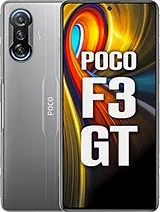
Find and download official MIUI firmware for POCO F3 GT (ares). All firmware files include MD5 hash verification and are available for direct download.
| Version | Method | Size | Release Date | MD5 Hash | Download |
|---|---|---|---|---|---|
| V14.0.4.0.TKJINXM | Recovery | 227.69 MB | 2023-09-01 |
b137439e7a4b18de0bfb291dff193986
|
Download |
| V13.0.5.0.SKJINXM | Recovery | 117.21 MB | 2022-11-19 |
6d348beef2a434c95bcfac8533ee365e
|
Download |
| V13.0.4.0.SKJINXM | Recovery | 87.9 MB | 2022-08-22 |
cda5f543778b701345c03917dcfbe023
|
Download |
| V13.0.3.0.SKJINXM | Recovery | 389.51 MB | 2022-06-15 |
7fc87025397962dcbd596246cf36f9db
|
Download |
| V13.0.1.0.SKJINXM | Recovery | 3.23 GB | 2022-03-09 |
f83ba2a353832067064a153a9dd8dd91
|
Download |
| V13.0.0.10.SKJINXM | Recovery | 3.2 GB | 2022-01-28 |
6a746b43e993fb75af00893ba1ab237e
|
Download |
| V12.5.7.0.RKJINXM | Recovery | 159.71 MB | 2021-12-08 |
9e66206b157d86f5c2465567e610eeac
|
Download |
| V12.5.5.0.RKJINXM | Recovery | 295.27 MB | 2021-08-27 |
e147a5617038a71a76d0f1b7f85aa09f
|
Download |
| V12.5.4.0.RKJINXM | Recovery | 115.5 MB | 2021-07-26 |
4423d96961946d93ad2584d8357b930b
|
Download |
| OS1.0.2.0.TKJINXM | Recovery | 1.37 GB | 2024-04-01 |
b0c0791cac9de6365640d2bc834de7e4
|
Download |
| Version | Method | Size | Release Date | MD5 Hash | Download |
|---|---|---|---|---|---|
| V13.0.9.0.SKJCNXM | Fastboot | 4.32 GB | 2022-10-26 |
4eb03893db329a733623d109ee10b1d5
|
Download |
| V13.0.8.0.SKJCNXM | Fastboot | 4.38 GB | 2022-06-30 |
962a604fb375b7c22c42b0e54e81e1bf
|
Download |
| V13.0.7.0.SKJCNXM | Fastboot | 4.38 GB | 2022-05-16 |
48ffec74d86b229ec5dc9422c79d1d9b
|
Download |
| V13.0.4.0.SKJCNXM | Fastboot | 4.49 GB | 2022-03-29 |
315d9552cd51d1105d9984e921eb1474
|
Download |
| V13.0.3.0.SKJCNXM | Fastboot | 4.41 GB | 2022-03-01 |
45927a602a17c7d996e223dd5bdbbd1a
|
Download |
| V12.5.12.0.RKJCNXM | Fastboot | 3.54 GB | 2021-12-07 |
0fab61486206d8db800e7eea64aa9e4d
|
Download |
| V12.5.10.0.RKJCNXM | Recovery | 3.52 GB | 2021-10-29 |
20a2a200076dfda2f674530581eccd67
|
Download |
| V12.5.8.0.RKJCNXM | Fastboot | 3.25 GB | 2021-08-02 |
d866a4bd8bd8d2821beb36095d9ac1b1
|
Download |
| V12.5.6.0.RKJCNXM | Fastboot | 3.2 GB | 2021-06-04 |
c571abdd03eced19854e9494224a1906
|
Download |
| V12.5.5.0.RKJCNXM | Fastboot | 3.2 GB | 2021-05-27 |
9965600c6586612a3010fa7f664ba496
|
Download |
| V12.5.3.0.RKJCNXM | Fastboot | 3.13 GB | 2021-05-02 |
0762ce621ae643dbb05b9ff156b9d569
|
Download |
| OS1.0.2.0.TKJCNXM | Recovery | 1.35 GB | 2024-03-05 |
09a01a89e69c009e0afb8887e13dc5e8
|
Download |
| Version | Method | Size | Release Date | MD5 Hash | Download |
|---|---|---|---|---|---|
| V13.0.9.0.SKJCNXM | Fastboot | 4.32 GB | 2022-10-26 |
4eb03893db329a733623d109ee10b1d5
|
Download |
| V13.0.8.0.SKJCNXM | Fastboot | 4.38 GB | 2022-06-30 |
962a604fb375b7c22c42b0e54e81e1bf
|
Download |
| V13.0.7.0.SKJCNXM | Fastboot | 4.38 GB | 2022-05-16 |
48ffec74d86b229ec5dc9422c79d1d9b
|
Download |
| V13.0.4.0.SKJCNXM | Fastboot | 4.49 GB | 2022-03-29 |
315d9552cd51d1105d9984e921eb1474
|
Download |
| V13.0.3.0.SKJCNXM | Fastboot | 4.41 GB | 2022-03-01 |
45927a602a17c7d996e223dd5bdbbd1a
|
Download |
| V12.5.12.0.RKJCNXM | Fastboot | 3.54 GB | 2021-12-07 |
0fab61486206d8db800e7eea64aa9e4d
|
Download |
| V12.5.10.0.RKJCNXM | Recovery | 3.52 GB | 2021-10-29 |
20a2a200076dfda2f674530581eccd67
|
Download |
| V12.5.8.0.RKJCNXM | Fastboot | 3.25 GB | 2021-08-02 |
d866a4bd8bd8d2821beb36095d9ac1b1
|
Download |
| V12.5.6.0.RKJCNXM | Fastboot | 3.2 GB | 2021-06-04 |
c571abdd03eced19854e9494224a1906
|
Download |
| V12.5.5.0.RKJCNXM | Fastboot | 3.2 GB | 2021-05-27 |
9965600c6586612a3010fa7f664ba496
|
Download |
| V12.5.3.0.RKJCNXM | Fastboot | 3.13 GB | 2021-05-02 |
0762ce621ae643dbb05b9ff156b9d569
|
Download |
| OS1.0.2.0.TKJCNXM | Recovery | 1.35 GB | 2024-03-05 |
09a01a89e69c009e0afb8887e13dc5e8
|
Download |
Xiaomi Redmi K40 Gaming • Released 2021, April 30 • 205g, 8.3mm thickness • Android 11, MIUI 12.5 • 128GB/256GB storage, no card slot ...
Also known as Xiaomi Redmi K40 Gaming Edition
| Network | Technology | GSM / CDMA / HSPA / CDMA2000 / LTE / 5G |
|---|---|---|
| 2G bands | GSM 850 / 900 / 1800 / 1900 | |
| CDMA 800 | ||
| 3G bands | HSDPA 850 / 900 / 1700(AWS) / 1900 / 2100 | |
| CDMA2000 1x | ||
| 4G bands | 1, 2, 3, 4, 5, 7, 8, 18, 19, 26, 34, 38, 39, 40, 41, 42 | |
| 5G bands | 1, 3, 28, 41, 77, 78 SA/NSA/Sub6 | |
| Speed | HSPA, LTE, 5G |
| Launch | Announced | 2021, April 27 |
|---|---|---|
| Status | Available. Released 2021, April 30 |
| Body | Dimensions | 161.9 x 76.9 x 8.3 mm (6.37 x 3.03 x 0.33 in) |
|---|---|---|
| Weight | 205 g (7.23 oz) | |
| Build | Glass front (Gorilla Glass 5), glass back (Gorilla Glass 5) | |
| SIM | Nano-SIM + Nano-SIM | |
| Physical pop-up gaming triggers IP53 dust protected and water resistant (vertical water sprays) |
| Display | Type | OLED, 1B colors, 120Hz, HDR10+, 500 nits (typ) |
|---|---|---|
| Size | 6.67 inches, 107.4 cm2 (~86.3% screen-to-body ratio) | |
| Resolution | 1080 x 2400 pixels, 20:9 ratio (~395 ppi density) | |
| Protection | Corning Gorilla Glass 5 |
| Platform | OS | Android 11, MIUI 12.5 |
|---|---|---|
| Chipset | Mediatek Dimensity 1200 (6 nm) | |
| CPU | Octa-core (1x3.0 GHz Cortex-A78 & 3x2.6 GHz Cortex-A78 & 4x2.0 GHz Cortex-A55) | |
| GPU | Mali-G77 MC9 |
| Memory | Card slot | No |
|---|---|---|
| Internal | 128GB 6GB RAM, 128GB 8GB RAM, 128GB 12GB RAM, 256GB 8GB RAM, 256GB 12GB RAM | |
| UFS 3.1 |
| Main Camera | Triple | 64 MP, f/1.7, 26mm (wide), 1/2.0", 0.7µm, PDAF 8 MP, f/2.2, 120˚ (ultrawide) 2 MP (macro) |
|---|---|---|
| Features | Color spectrum sensor, Dual-LED flash, HDR, panorama | |
| Video | 4K@30fps, 1080p@30/60/120fps, 720p@960fps, HDR |
| Selfie camera | Single | 16 MP, f/2.5, (wide), 1/3.06" 1.0µm |
|---|---|---|
| Features | HDR | |
| Video | 1080p@30fps, 720p@120fps, HDR |
| Sound | Loudspeaker | Yes, with stereo speakers |
|---|---|---|
| 3.5mm jack | No | |
| 24-bit/192kHz Hi-Res audio Tuned by JBL |
| Comms | WLAN | Wi-Fi 802.11 a/b/g/n/ac/6, dual-band, Wi-Fi Direct |
|---|---|---|
| Bluetooth | 5.2, A2DP, LE | |
| Positioning | GPS (L1+L5), GLONASS (G1), BDS (B1I+B2a), GALILEO (E1+E5a), QZSS (L1+L5), NavIC | |
| NFC | Yes | |
| Infrared port | Yes | |
| Radio | No | |
| USB | USB Type-C 2.0, OTG |
| Features | Sensors | Fingerprint (side-mounted), accelerometer, gyro, compass, barometer |
|---|
| Battery | Type | Li-Po 5065 mAh |
|---|---|---|
| Charging | 67W wired, PD3.0, QC3, 100% in 42 min |
| Misc | Colors | Black, Gray, Silver, Bruce Lee Yellow |
|---|---|---|
| Models | M2012K10C, M2104K10AC | |
| Price | About 260 EUR |
⚠️ Warning: Flashing custom ROMs may void your warranty. Proceed at your own risk.
A: Yes, flashing official firmware is generally safe and won't void your warranty if done through official methods.
A: Recovery ROMs are flashed from recovery mode, while Fastboot ROMs require bootloader unlock and ADB tools.
A: Some devices allow downgrading, but it depends on the device and region. Check device-specific forums first.
A: If flashing fails, try using the official tool, ensure USB drivers are installed, and check device compatibility.





