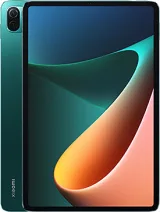
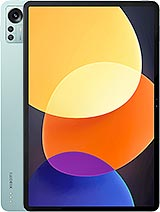
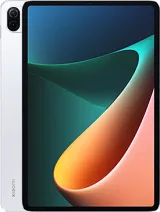
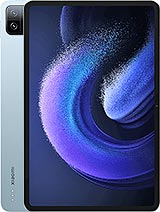
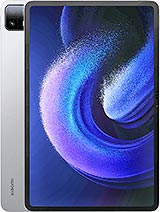
Xiaomi Pad 7S Pro 12.5 China is a xiaomi device (codename: violin). FirmwareMirror hosts 10 verified firmware builds, covering: Global. Available as Fastboot & Recovery ROM formats, compatible with Android 16.0, 15.0, 12.0. Last updated: May 2026. All files MD5-verified. Free, no registration.
Find and download official MIUI ROM for Xiaomi Pad 7S Pro 12.5 China (violin). All firmware files include MD5 hash verification and are available for direct download.
| Version | Method | Size | Release Date | MD5 Hash | Download |
|---|---|---|---|---|---|
| OS3.0.302.0.WOTCNXM | Recovery | 8.4 GB | 2026-03-26 |
979a341f65117f16fd2e6ff4057f4e62
|
Download |
| OS3.0.10.0.WOTCNXM | Recovery | 8.3 GB | 2026-02-01 |
786c3a0c26cd19001f7c0f1963bb4546
|
Download |
| OS3.0.8.0.WOTCNXM | Recovery | 8.3 GB | 2025-12-26 |
e613fe01edcb11635a3b3e148d4777de
|
Download |
| OS3.0.6.0.WOTCNXM | Recovery | 7.67 GB | 2025-10-28 |
c9a2a55dc0c0a9cf4f4ab5b2309b35b0
|
Download |
| OS2.0.215.0.VOTCNXM | Fastboot | 7.61 GB | 2025-09-17 |
67e164372df5a3b688a537d052b3fe2d
|
Download |
| OS2.0.214.0.VOTCNXM | Recovery | 7.61 GB | 2025-08-20 |
8dbd7d9eadd8dc35b70c0da83d4005cc
|
Download |
| OS2.0.213.0.VOTCNXM | Recovery | 7.61 GB | 2025-07-16 |
b064ffc7d8c19d760622c95d0fc93c8a
|
Download |
| OS2.0.208.0.VOTCNXM | Recovery | 1.69 GB | 2025-06-26 |
2fdf4996f7a2b62c10ebf7152bfda4c4
|
Download |
| Network | Technology | No cellular connectivity |
|---|---|---|
| 2G bands | N/A | |
| 3G bands | N/A | |
| GPRS | N/A | |
| EDGE | N/A |
| Launch | Announced | 2025, June 26 |
|---|---|---|
| Status | Available. Released 2025, June 26 |
| Body | Dimensions | 279.1 x 192 x 5.8 mm (10.99 x 7.56 x 0.23 in) |
|---|---|---|
| Weight | 576 g or 585 g (1.27 lb) | |
| Build | Glass front, aluminum frame, aluminum back | |
| SIM | No | |
| Stylus support (magnetic) |
| Display | Type | IPS LCD, 68B colors, 144Hz, HDR10, HDR Vivid, Dolby Vision, 1000 nits (peak) |
|---|---|---|
| Size | 12.5 inches, 465.5 cm2 (~86.9% screen-to-body ratio) | |
| Resolution | 2136 x 3200 pixels, 3:2 ratio (~308 ppi density) | |
| Protection | Corning Gorilla Glass 5 or Panda-X |
| Platform | OS | Android 15, HyperOS 2 |
|---|---|---|
| Chipset | Xring O1 (3 nm) | |
| CPU | 10-core (2x3.4GHz Cortex-X925 & 4x3.4GHz Cortex-A725 & 2x1.9GHz Cortex-A725 & 2x1.8GHz Cortex-A520) | |
| GPU | Immortalis-G925 MP16 |
| Memory | Card slot | No |
|---|---|---|
| Internal | 256GB 8GB RAM, 256GB 12GB RAM, 512GB 12GB RAM, 512GB 16GB RAM, 1TB 16GB RAM | |
| UFS 4.1 |
| Main Camera | Single | 50 MP, f/1.8, (wide), 1/2.76", 0.64µm, PDAF |
|---|---|---|
| Features | LED flash, HDR | |
| Video | 4K@30/60fps, 1080p@30/60fps |
| Selfie camera | Single | 32 MP, f/2.2, 19mm (ultrawide), 1/3.6", 0.61µm |
|---|---|---|
| Features | HDR | |
| Video | 1080p@30fps |
| Sound | Loudspeaker | Yes, with stereo speakers (6 speakers, with Dolby Atmos) |
|---|---|---|
| 3.5mm jack | No | |
| 24-bit/192kHz Hi-Res & Hi-Res Wireless audio |
| Comms | WLAN | Wi-Fi 802.11 a/b/g/n/ac/6e/7, dual-band, Wi-Fi Direct |
|---|---|---|
| Bluetooth | 5.4, A2DP, LE, LHDC 5 | |
| Positioning | No | |
| NFC | No | |
| Infrared port | Yes | |
| Radio | No | |
| USB | USB Type-C 3.2, OTG, magnetic accessory connector |
| Features | Sensors | Fingerprint (side-mounted), accelerometer, gyro, proximity, compass |
|---|
| Battery | Type | 10610 mAh |
|---|---|---|
| Charging | 120W wired, PD3.0, QC3+ 7.5W reverse wired |
| Misc | Colors | Black, Purple, Titanium Silver, Basalt Gray |
|---|---|---|
| Price | About 400 EUR |
A: Yes — official firmware from the manufacturer is generally safe when you match your device's exact model number and region. Flashing the wrong region or modified firmware can cause issues.
A: Xiaomi Pad 7S Pro 12.5 China firmware is flashed using MiFlash. See the step-by-step guide above for the full procedure.
A: Some devices allow downgrading, others have anti-rollback protection that blocks it. Check the version-specific notes on each ROM page, or your model's community forum, before attempting a downgrade.
A: First, verify the firmware matches your exact model code (e.g. SM-S938B for Samsung, or the CPH-number for OPPO). Reinstall the manufacturer's USB drivers, use a rear USB 2.0 port directly on your PC, and retry. The troubleshooting box above the FAQ covers the most common failure modes.